If you own a 2005 Nissan Altima and you're planning to replace the battery yourself, the first thing you need to figure out is the correct battery group size. Getting this wrong means the battery won't fit the tray, the terminals won't line up, or you'll end up with a unit that can't handle your car's electrical demands. Identifying the right group size before you shop saves you time, money, and a frustrating trip back to the auto parts store. This guide walks you through exactly how to do it, step by step, with no guesswork.
What does battery group size actually mean?
Battery group size is a standard defined by the Battery Council International (BCI). It tells you the physical dimensions length, width, and height plus the terminal placement of a battery. It doesn't tell you how much power the battery puts out or how long it lasts. It's purely about whether the battery will physically fit your car's battery tray and whether the positive and negative terminals sit where your cables expect them.
For example, Group 35 and Group 24F are two common sizes you'll see at the store. They have different dimensions and different terminal positions. Putting a Group 24F battery in a spot designed for a Group 35 won't work, even if the voltage is the same.
What is the correct battery group size for a 2005 Nissan Altima?
The 2005 Nissan Altima uses a Group 35 battery. This applies to both the 2.5L four-cylinder and the 3.5L V6 engine options. The Group 35 measures approximately 9.06 inches long, 6.88 inches wide, and 8.88 inches tall. The positive terminal is on the right side when you're facing the battery from the front.
If you want a deeper look at dimensions, CCA ratings, and installation specifics, our full battery group size specifications and installation guide for the Nissan Altima covers all of that in detail.
How can I verify the battery group size without looking it up online?
There are a few practical ways to confirm the group size right from your car or the old battery:
Check the label on the current battery
Pop the hood and look at the battery that's already installed. Most batteries have the BCI group number printed clearly on the top or side label. You'll see something like "35," "24F," or "48" near the specifications. If the label is legible, this is the fastest way to confirm what you need.
Measure the battery tray
If the label is missing or you're not sure the previous owner installed the right one, grab a tape measure. Measure the length, width, and height of the battery tray under the hood. Compare those numbers to BCI group size charts. A Group 35 battery sits in a tray roughly 9 inches long and about 7 inches wide.
Check your owner's manual
The 2005 Altima owner's manual lists the recommended battery type in the maintenance section. It should specify the group size along with the minimum cold cranking amps (CCA) needed typically 640 CCA for this model.
Ask at the parts counter
If you walk into any auto parts store and tell them you have a 2005 Nissan Altima with the 2.5L or 3.5L engine, their system will pull up the correct Group 35 battery. You don't have to buy anything just ask to confirm the group size before you shop around.
What are the most common mistakes people make when identifying battery group size?
Here are the errors that trip up DIYers most often:
- Assuming all Altimas use the same group size. Other model years of the Altima may use different group sizes. A 2013 Altima, for example, may use a Group 48 (H6). Always check for your specific year and engine.
- Confusing group size with CCA or reserve capacity. Group size is about physical fit. Cold cranking amps and reserve capacity are about performance. You need a battery that matches both correct group size and sufficient CCA.
- Ignoring terminal orientation. Two batteries can have the same group number but different terminal placements if they're from different manufacturers. Double-check that the positive terminal is on the correct side for your Altima's cable configuration.
- Buying based on price alone. A cheaper battery might fit the tray but deliver fewer CCA than your car needs, especially in cold weather.
Does cold weather change which battery I should get?
Cold weather doesn't change the group size you still need a Group 35. But it does affect which specific battery you buy within that group. In freezing temperatures, a battery with higher CCA will crank the engine more reliably. If you live somewhere with harsh winters, look for a Group 35 battery rated at 700 CCA or higher instead of the minimum 640. Our winter battery recommendation guide for the 2005 Altima covers this in more detail.
What tools do I need to swap the battery myself?
You don't need much. Here's the short list:
- 10mm wrench or socket (for the terminal bolts)
- 12mm or 13mm wrench (for the battery hold-down clamp, depending on your setup)
- Battery terminal cleaner brush or wire brush
- Anti-corrosion spray or terminal grease
- Safety gloves and eye protection
The whole job takes about 15 to 20 minutes. If you want a step-by-step walkthrough, we cover the full process in this DIY installation guide for the 2005 Nissan Altima.
Can I use a different group size if I can't find a Group 35?
It's not recommended. The battery tray, hold-down bracket, and cable lengths on the 2005 Altima are designed around the Group 35 dimensions. A smaller battery will rattle around in the tray. A larger one might not fit at all, or it could press against nearby components. Stick with Group 35. If your local store is out of stock, most stores can order one within a day or two, or you can check a different retailer.
If you want to explore fonts for a DIY project label or custom garage sign while you're working on your Altima, you can browse Montserrat for a clean, easy-to-read typeface.
What should I do after buying the new battery?
Once you have the right Group 35 battery in hand, make sure you:
- Clean the terminal connectors with a wire brush before attaching them to the new battery.
- Connect the positive (red) terminal first, then the negative (black).
- Tighten the bolts snugly but don't over-torque them stripping the terminal posts is a common and expensive mistake.
- Secure the hold-down clamp so the battery doesn't shift during driving.
- Apply anti-corrosion spray or grease to both terminals after installation.
Quick DIY checklist before you start
- Confirm your battery is Group 35 (check the label, manual, or measure the tray).
- Verify CCA is at least 640 (700+ if you're in a cold climate).
- Check that the positive terminal is on the right side when facing the battery.
- Gather your tools: 10mm wrench, hold-down wrench, terminal brush, gloves.
- Disconnect the negative terminal first, then the positive when removing the old battery.
- Connect the positive terminal first, then the negative when installing the new one.
- Tighten the hold-down clamp and apply terminal protection.
Print this checklist out or save it on your phone. It'll keep you on track during the swap so nothing gets missed.
 Nissan Altima Battery Group Size Specifications and Installation Guide
 Nissan Altima Battery Group Size Guide for Cold Winter Weather
 Nissan Altima Battery Group Size Purchase & Install Guide
 Nissan Altima Battery Size and Replacement Instructions Guide
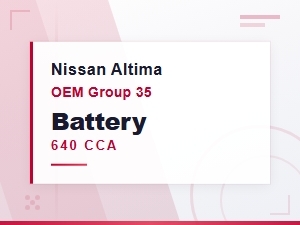 Nissan Altima Oem Battery Group Size and Cca Rating Guide
 Compatible Battery Group Size for 2005 Nissan Altima – Find the Right Fit